
Website Maintenance: Why Launching Your Website Is Only the Beginning
- 30 Jun 2026
- By Arman Raya
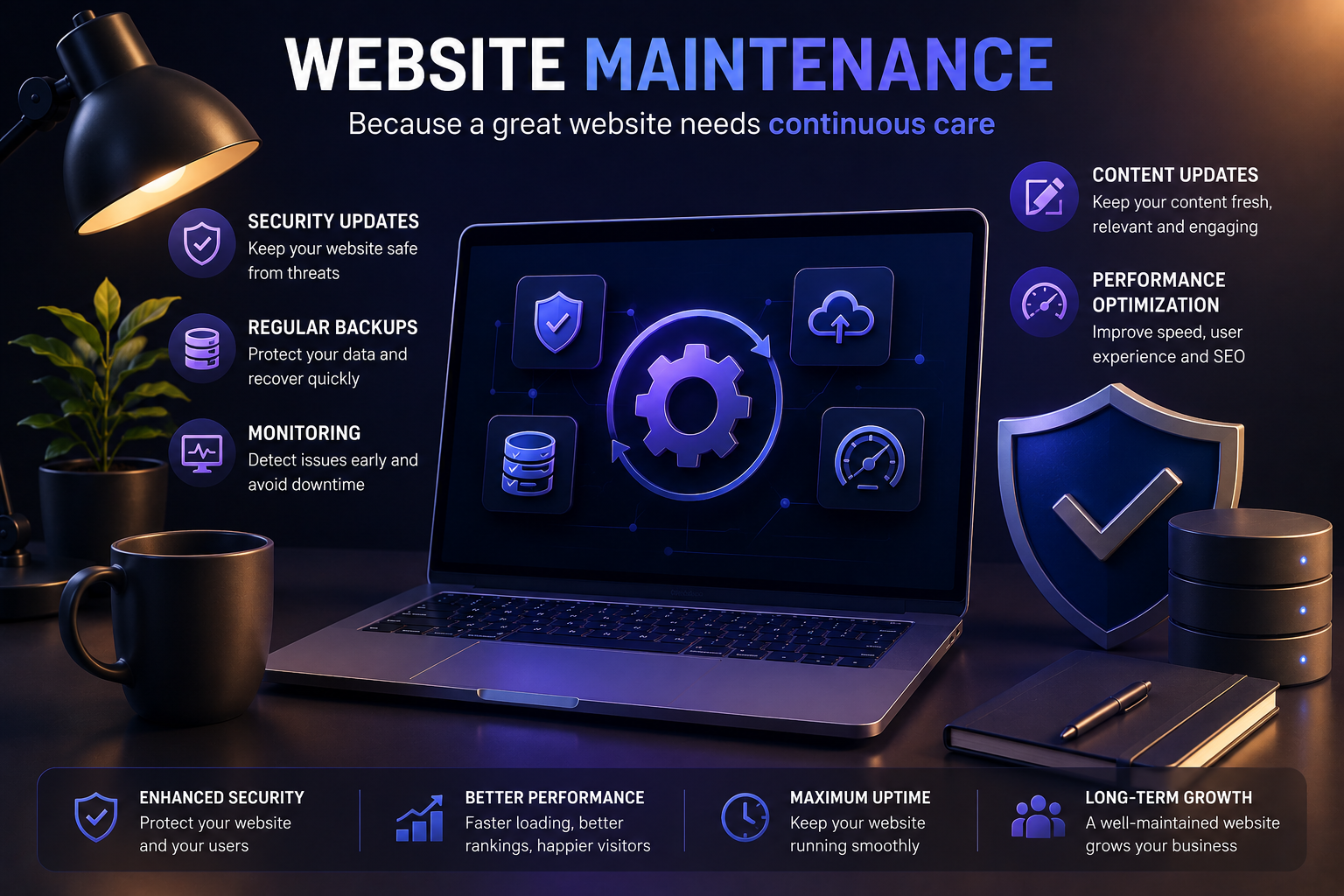
Launching a website is an exciting milestone for any business. It represents the beginning of your online presence, allowing customers to discover your products, services, and brand. However, many bus
Launching a website is an exciting milestone for any business. It represents the beginning of your online presence, allowing customers to discover your products, services, and brand. However, many business owners mistakenly believe that once their website goes live, the work is finished.
In reality, launching a website is only the first step. Just like a physical store requires regular cleaning, maintenance, and security, a website also needs ongoing care to remain secure, fast, and effective.
Website maintenance is essential for protecting your investment, improving user experience, maintaining search engine rankings, and ensuring your business continues to grow online.
In this article, we'll explore why website maintenance matters and the key areas every business should focus on.
What Is Website Maintenance?
Website maintenance is the ongoing process of keeping a website secure, updated, optimized, and functioning correctly after it has been launched.
Regular maintenance includes:
- Updating software and plugins
- Monitoring website performance
- Creating regular backups
- Publishing fresh content
- Improving loading speed
- Fixing bugs and broken links
- Enhancing security
A well-maintained website provides visitors with a better experience while reducing the risk of downtime or cyberattacks.
Many businesses invest thousands of dollars into designing and developing a professional website. Without maintenance, that investment can quickly lose value.
Regular website maintenance helps:
- Protect customer data
- Improve search engine rankings
- Increase website speed
- Reduce downtime
- Improve user experience
- Increase customer trust
- Generate more leads and sales
Instead of treating your website as a one-time project, think of it as a long-term business asset.
Cyber threats evolve every day.
Hackers continuously search for outdated websites running old versions of:
- Content Management Systems (CMS)
- Plugins
- Themes
- JavaScript libraries
- Server software
Even a small vulnerability can allow attackers to:
- Inject malicious code
- Steal customer information
- Redirect visitors
- Delete website files
- Install malware
Regular security updates patch known vulnerabilities before hackers can exploit them.
Security maintenance typically includes:
- Updating CMS software
- Updating plugins
- Updating themes
- Removing unused software
- SSL certificate monitoring
- Malware scanning
- Firewall configuration
A secure website protects both your business and your customers.
Imagine spending years building your website only to lose everything because of:
- Server failure
- Human error
- Hacking
- Malware
- Accidental deletion
Without backups, recovering your website can be expensive—or even impossible.
Regular backups create copies of your:
- Database
- Images
- Videos
- Documents
- Products
- Customer information
- Website settings
If something goes wrong, your website can often be restored within minutes instead of days.
Most professional maintenance plans include:
- Daily backups
- Weekly backups
- Off-site backup storage
- Automated restoration testing
Backups are your website's insurance policy.
Your website can experience issues without you even noticing.
Examples include:
- Website downtime
- Slow loading pages
- Broken forms
- Payment gateway failures
- Database errors
- SSL certificate expiration
Website monitoring tools continuously check your website and notify administrators immediately when something goes wrong.
Monitoring typically includes:
- Uptime monitoring
- Response time monitoring
- Error logging
- Server health monitoring
- Security monitoring
- Traffic analysis
Detecting problems early minimizes lost sales and improves customer satisfaction.
Search engines reward websites that stay active.
If your website hasn't changed in years, search engines may consider it outdated.
Regular content updates can include:
- Publishing blog articles
- Updating service pages
- Adding new products
- Updating prices
- Refreshing images
- Improving FAQs
- Posting company news
- Adding customer testimonials
Fresh content also demonstrates that your business is active and trustworthy.
For visitors, updated content provides reasons to return.
For search engines, it signals that your website remains valuable.
Website speed has become one of the most important factors in online success.
Studies consistently show that visitors leave websites that load slowly.
A slow website can lead to:
- Higher bounce rates
- Lower conversions
- Poor search rankings
- Frustrated users
Performance optimization focuses on making every page load as quickly as possible.
This may include:
Image Optimization
Compress images without sacrificing quality.
Code Optimization
Minify HTML, CSS, and JavaScript files.
Caching
Store frequently accessed content for faster delivery.
Database Optimization
Remove unnecessary data and optimize queries.
Content Delivery Networks (CDNs)
Deliver content from servers closest to visitors.
Server Improvements
Upgrade hosting resources when traffic increases.
Fast websites provide a better experience for users while improving SEO performance.
Professional maintenance often includes many other important services:
Broken Link Checks
Broken links create frustration and negatively impact SEO.
Form Testing
Ensure contact forms, booking systems, and checkout pages continue working correctly.
Browser Compatibility
Verify that your website functions properly across modern browsers and devices.
Mobile Optimization
Regularly test your website on smartphones and tablets.
SEO Maintenance
Monitor rankings, fix crawl errors, update metadata, and improve internal linking.
Analytics Review
Analyze visitor behavior to identify opportunities for improvement.
Different tasks require different schedules.
| Maintenance Task | Recommended Frequency |
|---|---|
| Security updates | Weekly or immediately when available |
| Website backups | Daily |
| Performance optimization | Monthly |
| Broken link checks | Monthly |
| Content updates | Weekly or monthly |
| SEO review | Monthly |
| Full website audit | Every 3–6 months |
- Tags:
- Performance Optimization
- Website Updates
- Cybersecurity For Websites
- Website Maintenance
- Website Support
More Related Articles
Explore more insights on design, development, SEO, and digital products from the Arman Raya team.

How to Create a Website That Reflects Y…
- 26 Oct 2026
- By admin

AI in Web Development: How AI Is Changi…
- 30 Sep 2026
- By Arman Raya

How to Choose the Right Website Feature…
- 21 Sep 2026
- By Arman Raya

How to Build Customer Trust on Your Web…
- 14 Jun 2026
- By Arman Raya

Why Doesn’t Your Website Generate Sales?
- 28 May 2026
- By Arman Raya

Comprehensive Guide to Designing Educat…
- 26 May 2026
- By Arman Raya

Lawyer Website Design with the Django F…
- 24 May 2026
- By Arman Raya

On-Page SEO vs. Off-Page SEO: What’s th…
- 21 May 2026
- By Arman Raya